
Karen Johnson
Hi! I'm Karen! I've spent the last several years dealing with the neighbor from Hell. I've got tools & tips to help you with your Bloated Bully issues!
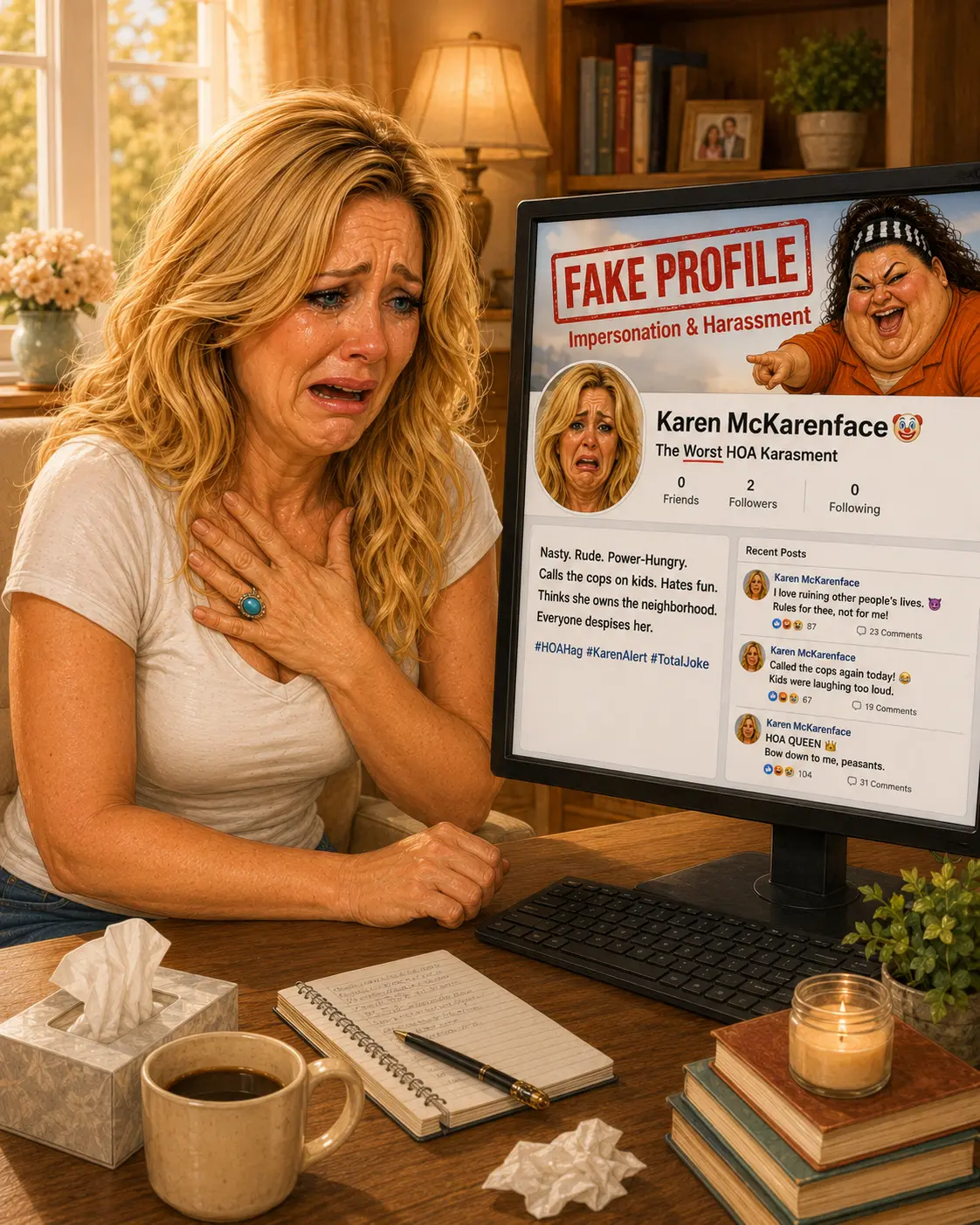
There are few social-media moments quite as creepy as scrolling along while minding your own business, and suddenly seeing the face of someone you know attached to an account that is VERY much not them.
Same photos. Same name. Maybe even a few of the same personal details – but definitely, most definitely NOT them.
The way the “speak,” the words they say, or some details meant to be insulting or shaming — it’s for sure a different human behind the keyboard.
Maybe they’re posing as her and posting mean comments. Maybe they’re messaging people trying to get money. Maybe they’re (gasp) creating a fake dating profile to shame and embarrass her.
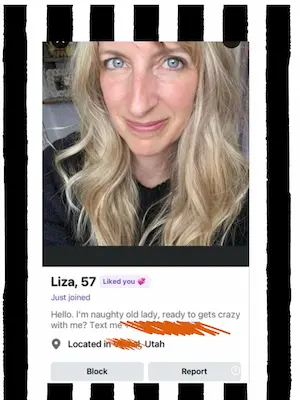
If that fake profile is your face and your images — and your personal information — it is especially unnerving. Embarrassing. Frustrating. Invasive.
It’s natural if first fighting-mad, protective-of-your-friend (or yourself) impulse is to march into the comments with “HEY, YOU FAKE LITTLE BLOATED WEASEL, WE SEE YOU”—resist.
Because when someone is impersonating another person online, your first job isn’t to quickly win a Facebook argument.
Your first job is to protect her: Keep the receipts.
A fake profile can disappear in seconds. Posts can be deleted. Usernames can change. The account can block the victim and everyone close to them. And once that happens, something that seemed painfully obvious five minutes ago can become much harder to prove.
So before anybody grabs a digital pitchfork, here’s what to do – and I’m focusing on Facebook, because that’s where it happened to me, but most of this applies to all social media platforms:
1. Don’t Engage With the Fake Account
Do not comment.
Do not message it.
Do not announce that you’ve discovered it.
And definitely don’t send the account a twelve-paragraph dissertation explaining exactly how stupid its creator was for thinking nobody would notice.
Tempting? Absolutely. I couldn’t resist, and the first thing I shouted when the Bloated Bully appeared out in the neighborhood (after law enforcement had questioned her) was “I am NOT 57!” The ***nerve*** of her to write me up that way!
Helpful? Usually not. And when it (finally) came time for the hearing — the public defender tried to use this against me.
DO NOT ANNOUNCE YOUR DISCOVERY!
If the person behind the account realizes they’ve been discovered, they may delete posts, change usernames, lock the account, remove identifying information, or block the victim and anyone likely to help them.
That matters because the best opportunity to document a fake account is often before the person running it realizes you’ve found it.
Our rule around here is pretty simple:
Document first. React later.
The Social Media Self-Defense Playbook uses the same principle: save originals, record what actually happened, and keep the record factual rather than turning the evidence-gathering stage into another confrontation.

2. Screenshot It–But Don’t Stop at Screenshots
A screenshot is a start.
It is NOT the whole, protective, court-ready receipt.
Capture ALL of the following:
- The fake profile’s displayed name
- The profile username or handle
- The profile picture
- Their bio/about information
- Any visible posts, and comments
- Note the dates and times of posts and comments
- Get links to everything — actual links
- Above ALL — copy the actual profile URL.
The last one is in BOLD because it is especially important.
Not just “facebook.com”.
Not just the displayed name.
The full link to that specific profile.
If there are individual posts, copy those links too.
Your browser’s address bar can be surprisingly important here. Facebook itself notes that direct URLs help identify where reported content is located, and our own documentation system deliberately calls for both screenshots and original links.
Your browser’s address bar can be surprisingly important here. Facebook itself notes that direct URLs help identify where reported content is located, and our own documentation system deliberately calls for both screenshots and original links.
And as someone who has been through the wringer of a criminal court case on this matter – I would go one step further and make a screen recording while you slowly scroll through the profile. Show the profile page, the username, posts, photos, comments and—in a browser—the URL bar whenever possible.
Then save everything someplace besides your phone.
Cloud folder. External drive. Computer. Whatever works for you.
Just don’t leave your only copy sitting in your camera roll between a recipe screenshot and seventeen pictures of your dog.
And don’t edit your only original. Crop or annotate copies.
3. If the Victim Is Blocked, Recruit a Trusted Pair of Eyes
Here’s one of the nastier tricks an impersonator can use: block the person they’re impersonating.
Now the fake profile is visible to everyone except the human who most needs to see it.
Cute.
If that happens, ask a trusted friend to locate the account and document it for you.
On Facebook, the current reporting process generally starts from the profile’s three-dot menu and the reporting/support option. For an impersonation report, the reporter can choose Pretending to be someone and identify whether the account is impersonating themselves, a friend, or another person. Facebook’s Messenger reporting flow similarly includes a specific “Pretending to be someone” category.
So there’s an important distinction:
If you’re reporting the account pretending to be you: choose the option indicating Me.
If you’re helping your friend: choose the option indicating A friend and identify the real person being impersonated.
Facebook also has an impersonation-reporting process for situations where the victim can’t access the account normally, including some cases where the person doesn’t have Facebook access. Menus and forms change, so use Meta’s current Help Center rather than relying on screenshots from a three-year-old tutorial.
And Here Comes the Maddening Part:
Reporting does not guarantee removal.
Meta says it reviews reported content against its standards, and users can sometimes request another review through the Support Inbox when Facebook decides not to remove something. But Facebook doesn’t make it easy to find support — of any kind.
Also worth knowing: Facebook has long said that the number of reports itself does not determine whether content gets removed. The decision is supposed to turn on whether the account or content violates its rules.
I can personally confirm how frustrating that distinction can be.
The fake Facebook account involving me was reported more than 150 times.
Yep.
One. Hundred. Fifty.
And there it sat.
So absolutely report it—but don’t make Facebook’s response your entire protection plan – you’ll often be disappointed.
Warn the Real Person’s Network — AFTER You Preserve Evidence
Once the evidence is safely tucked away, it’s time to shut down the fake account’s social oxygen supply.
The real person should post a simple warning from their legitimate profile telling friends and followers that another account is impersonating them.
Something along these lines works:
FAKE PROFILE ALERT: Someone has created an account using my name/photos. This is not me. Please do not accept friend requests, respond to messages, click links, send money, or provide personal information to that account. If you’ve received communication from it, please screenshot it before blocking/reporting it and contact me through this account.
Notice what that post does not contain.
It doesn’t speculate about who created the account unless that has actually been established.
It doesn’t launch into a public feud.
And it doesn’t necessarily link directly to the fake account, potentially sending curious people over there to engage with it.
It simply protects the network.
That matters because impersonators don’t always target the person whose face they stole. Sometimes the real targets are everyone who trusts that face.
The FTC specifically warns that impersonators use familiar identities to trick people into trusting messages, giving away information, or sending money.
5. Ask Anyone Who Received Messages to Save Their Own Evidence
This is a big one.
If Aunt Susan received a friend request from the fake profile, don’t just have Aunt Susan tell you:
“Yeah, it sent me something weird Tuesday.”
Have Aunt Susan screenshot it.
If someone got a DM, save the DM.
If someone received texts or calls because information was posted on the fake profile, preserve those too.
If someone actually interacted with the impersonator, record their name and contact information while everyone still remembers what happened.
A third-party witness may have evidence the victim literally cannot see.
Our Social Media Self Defense Playbook was built around exactly this problem: separate fields for profile URLs, posts, witnesses, unwanted calls/texts/messages (like from FB Dating guys who think they’re about to get some “come gets with me” easy sex?), platform reports, and where the original evidence was saved.
Because six months later, “my cousin saw it too” is a much weaker receipt than:
Jane Smith — 555-XXXX — received Facebook Messenger message from account on May 14 at 8:32 p.m. — screenshot saved in Folder A.
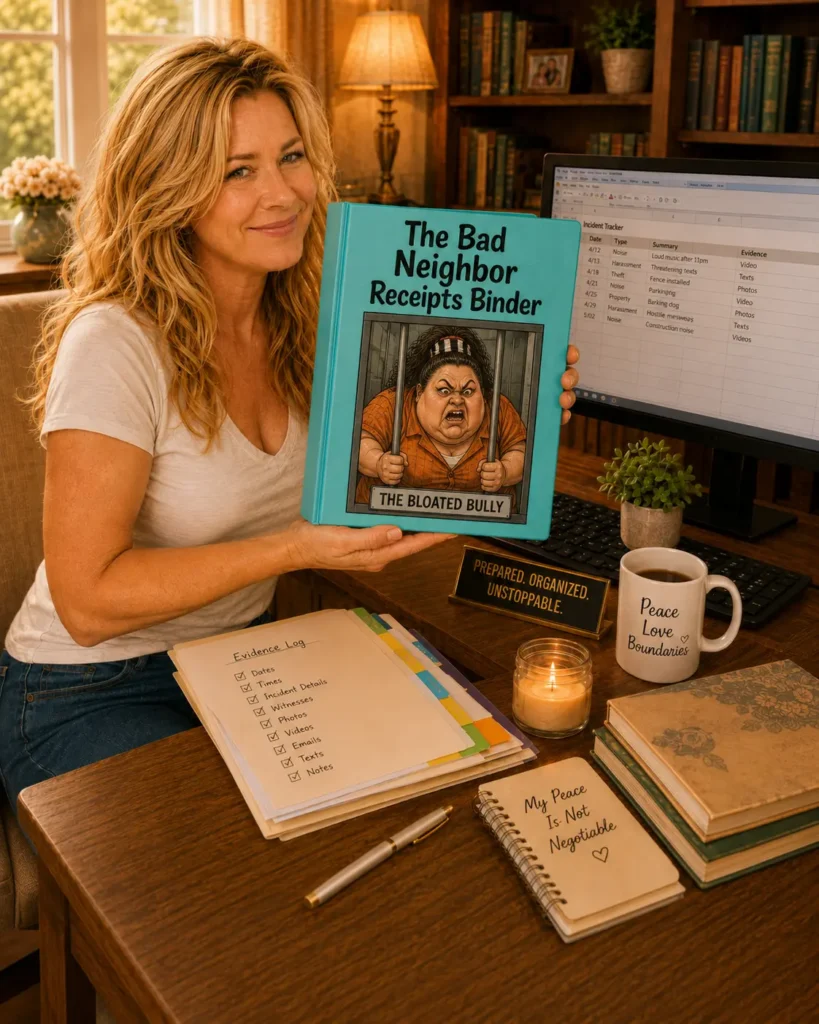
Boring documentation is beautiful documentation. Karen keeps the receipts – and The Bad Neighbor Receipts Binder can help you track all the things. .
6. Check Whether the Impersonation Has Spread
Fake-account creators don’t always stop at one platform. And they’re not typically your disgruntled, cruel neighbor, hell-bent on embarrassing you. Usually it’s “simple” hackers, looking to make a buck one way or another.
Search the victim’s name and common usernames on your current platform — and on all social media platforms: Facebook, Instagram, TikTok and any other platforms they use.
You can also run one of the stolen profile photos through a reverse-image search. The FTC recommends reverse-image searching suspicious profile photos because it can reveal the same image being used with different identities elsewhere online.
You’re not launching your own CSI unit here.
You’re answering one simple question:
Is this one fake profile—or the beginning of a bigger impersonation campaign?
If you discover additional accounts, repeat the same process.
Preserve.
URL.
Screenshot.
Witnesses.
Report.
Do not engage.
7. Lock Down the Real Accounts Too!
A cloned account doesn’t automatically mean the real account was hacked.
But it is an excellent time for a security check.
Change any weak or reused passwords. Review the recovery email address and phone number. Look for unfamiliar devices or login activity. Turn on two-factor authentication.
The FTC recommends strong unique passwords, two-factor authentication, and reviewing account-recovery information after suspicious account activity.
I’d also review what the public can see on the legitimate profile.
Phone number?
Email?
Friends list?
Location?
Birth date?
Family members?
Workplace?
Kids’ school?
You don’t need to disappear from the internet.
You just don’t need to hand an impersonator a beautifully organized Build-a-Fake-Lizzy Kit either.
8. Save Every Report Confirmation
When you submit a platform report, screenshot the confirmation.
Write down the date.
Save any reference number.
Check the platform’s support inbox.
If the report is denied and a review option appears, preserve that information too.
This sounds ridiculously bureaucratic for something that started with somebody stealing a Facebook picture.
Welcome to the glamorous world of Karening: Keep. The. Receipts.
But if the situation grows from annoying fake account into harassment, stalking, threats, doxxing, fraud or criminal impersonation, the difference between:
“I reported it a bunch of times.”
and
“Here are the reports, dates, URLs, witnesses, screenshots and responses.”
can be substantial.
9. Know When This Has Crossed Out of “Facebook Drama”
A fake profile isn’t automatically a crime simply because it exists, and laws vary considerably by state.
But conduct involving impersonation can cross into criminal territory.
For example, Utah currently has a specific unlawful online impersonation statute. Utah Code § 76-12-206 covers certain situations where someone uses another person’s name or persona without consent, creates or uses an online profile or message in a way intended to make others believe the victim authorized it, and acts with intent to harm, defraud, intimidate or threaten someone. A first offense under that statute is currently classified as a Class A misdemeanor.
Utah separately addresses electronic communication harassment under § 76-12-202 and disclosure of identifying information intended to cause electronic harassment under § 76-12-205. Which statute—if any—applies depends on what was actually done, the intent involved and the surrounding facts.
So if the fake account includes threats, publishes someone’s phone number or address, creates sexualized material, contacts people while pretending to be the victim, produces unwanted calls or visits, attempts fraud, or forms part of an ongoing stalking/harassment pattern, save the evidence and consider talking with law enforcement, a victim advocate, or a local attorney.
And if somebody appears to be in immediate physical danger?
Forget the screenshots for the moment.
Safety first.
The receipts can wait.
The Order Matters
Here’s the part I wish more people understood:
Don’t start with revenge. Start with preservation.
Don’t warn the impersonator that you’ve found them before you’ve saved what they created. I made that mistake. When it happened to me, I knew with 99% certainty who made the not me me profile – because of other things she had done, because of the grammar and language used, because of where else and what else she posted online within the same day.
But letting her know I knew didn’t do me any favors.
Be like Phoebe and Rachel. Keep it to yourself, take it to the platform, or law enforcement where appropriate (such as when they are pretending to BE you with conversations, dating profiles, etc, or when they are sharing your personal information and details, or when they are posting death wishes against other people they don’t like — or anyone).
Don’t assume Facebook will preserve everything for you.
Don’t assume fifty reports—or 150—will make an account disappear.
And don’t assume the fake profile is the only place the impersonation exists.
The safest sequence is remarkably unexciting:
Preserve it → protect the real account → report it → warn the network → document what happens next.
Which isn’t nearly as satisfying as typing “WE KNOW WHO YOU ARE, BLOATED BULLY.”
But if the whole mess ever lands in front of a detective, attorney, prosecutor, judge—or even a particularly stubborn Meta reviewer—boring, organized receipts beat a spectacular Facebook fight every damn time.
Educational information only, not legal advice. Laws and reporting procedures vary by jurisdiction, and social-media reporting menus change frequently. Verify current platform procedures and seek qualified local assistance when appropriate.
